If you run a restaurant, you already know the feeling the food is great, the service is warm, but your Instagram grid looks like it hasn’t been touched since last Diwali. You post when you remember, skip weeks when you’re busy, and never really know if any of it is working.
A social media calendar for a restaurant business fixes exactly this problem. It turns random, last-minute posting into a planned, consistent system that builds your brand, keeps regulars engaged, and brings in new footfall without eating up your entire day.
In this guide, we’ll walk through everything you need: understanding your audience, choosing the right platforms, building content pillars, mapping festivals and food days, creating a real calendar, picking tools, and tracking what’s actually working.
Why Every Restaurant Needs a Social Media Calendar
Most restaurant owners don’t lack content ideas. Every single day gives you something worth sharing fresh vegetables arriving in the morning, a chef plating a new dish, regulars laughing over dinner, a full house on a Saturday night. The real problem is consistency.
Here’s what an organized restaurant social media calendar actually does for your business:
- Builds trust through consistency. An active page signals that your restaurant is open, relevant, and worth visiting. A silent or outdated page quietly makes people doubt you.
- Saves time. Instead of scrambling for a caption at 8 PM, you batch-plan a week or month in advance.
- Improves local discovery. Regular posts with location tags help nearby food-lovers find you when they’re deciding where to eat tonight.
- Supports revenue, not just likes. A good calendar links content to real business goals online orders, table bookings, or footfall not just engagement numbers.
- Keeps your brand story consistent. Whether it’s a family-run dhaba or a fine-dining space, your calendar becomes the thread that ties your voice, visuals, and offers together.
In short, planning isn’t extra work it’s what makes your existing marketing effort actually count.
Step 1: Understand Your Restaurant’s Audience and Goals
Before you fill any calendar with post ideas, get clear on two things: who you’re talking to and what you want them to do.
Define Your Audience Personas
Not everyone who eats at your restaurant wants the same thing from your content. A few common examples:
- Young couples looking for a casual weeknight dinner spot
- Families searching for weekend outings with kids
- Office-goers nearby who want quick lunch options
- Groups planning celebrations or birthday parties
- Food lovers who follow trends and want to try something new
Knowing who you’re speaking to shapes your tone, your visuals, and even your posting time.
Set 1–2 Primary Goals
Your restaurant social media calendar should always ladder up to a real business outcome. Pick one or two goals, not ten:
- Drive more online orders
- Increase table reservations
- Build local brand awareness
- Grow footfall for a new outlet or menu launch
- Strengthen customer loyalty and repeat visits
Every post you plan later should quietly support one of these goals.
Step 2: Choose the Right Platforms
You don’t need to be on every platform spreading yourself thin usually hurts more than it helps. Focus on where restaurant audiences already are:
- Instagram Best for visual storytelling: food shots, reels, stories, and behind-the-scenes content. Usually your strongest platform.
- Facebook Great for local community reach, events, and an older demographic that still checks reviews and offers here.
- Google Business Profile Often underrated, but extremely high-intent. People searching “restaurants near me” see this first, and regular updates boost local visibility.
- WhatsApp Broadcast/Status Useful for loyal customers, offers, and quick updates in the Indian market especially.
- YouTube Shorts/Pinterest Optional, useful if you have strong video or recipe-style content to repurpose.
A good rule: pick 2–3 core platforms and be consistent there, rather than posting occasionally everywhere.
Step 3: Build Your Content Pillars
Content pillars are the recurring themes that keep your calendar organized and varied instead of repetitive. Most successful restaurant pages are built on five core pillars:
- Signature Dishes Your bestsellers, shot well, with a story or ingredient highlight.
- Behind-the-Scenes Kitchen prep, chef at work, fresh ingredients arriving — this builds trust and authenticity.
- Customer Experiences & UGC Reposting customer photos, reviews, and tagged stories. Social proof drives decisions more than any ad copy.
- Offers & Announcements New menu items, discounts, festive specials, event bookings.
- Community & Local Connection Local events, collaborations, staff stories, festivals celebrated in-house.
Mixing these pillars across the week keeps your feed interesting instead of feeling like a constant sales pitch. This is exactly the kind of variety a well-planned social media calendar for a restaurant business is built to deliver.
Step 4: Map Festivals, Food Days, and Local Events
This is where a lot of restaurants leave easy engagement on the table. Timing matters a post about Valentine’s Day two days late is a missed opportunity, not a late one.
Build a rough yearly map that includes:
- Major festivals Diwali, Holi, Eid, Christmas, New Year
- National/international food days World Food Day, National Biryani Day, Pizza Day, and similar niche dates relevant to your menu
- Seasonal shifts Monsoon specials, summer coolers, winter comfort food
- Local events City food festivals, cricket match days, college fests nearby
Planning these in advance means your team isn’t scrambling for last-minute ideas, and you can prepare offers, décor, or limited-menu items ahead of time not just a caption.
Step 5: Build Your Monthly Calendar (Step-by-Step)
Here’s a simple, practical process to actually build your content calendar for restaurants each month:
- Block your key dates first Add festivals, food days, and planned offers to a calendar (Google Sheets works fine to start).
- Assign content pillars to each week Don’t repeat the same pillar two days in a row.
- Batch your content creation Shoot food photos and short videos for the week in one session, not daily.
- Write captions in advance Keep a simple caption bank you can adapt, rather than starting from zero each time.
- Schedule your posts Use a scheduling tool (more on this below) so posting doesn’t depend on someone remembering at 9 PM.
- Leave room for real-time posts A full house on a Friday night or a walk-in celebrity visit deserves a spontaneous story, so don’t over-plan every single slot.
Aim for 3–5 high-quality posts per week on your core platform, plus daily stories if you’re active on Instagram. Consistency beats volume three thoughtful posts usually outperform seven rushed ones.
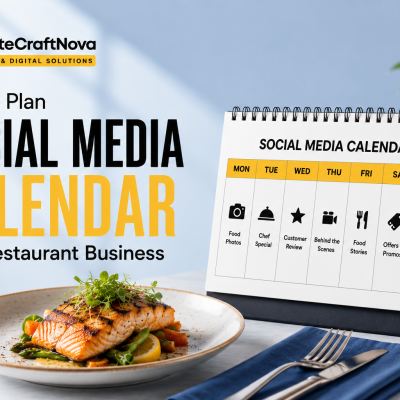
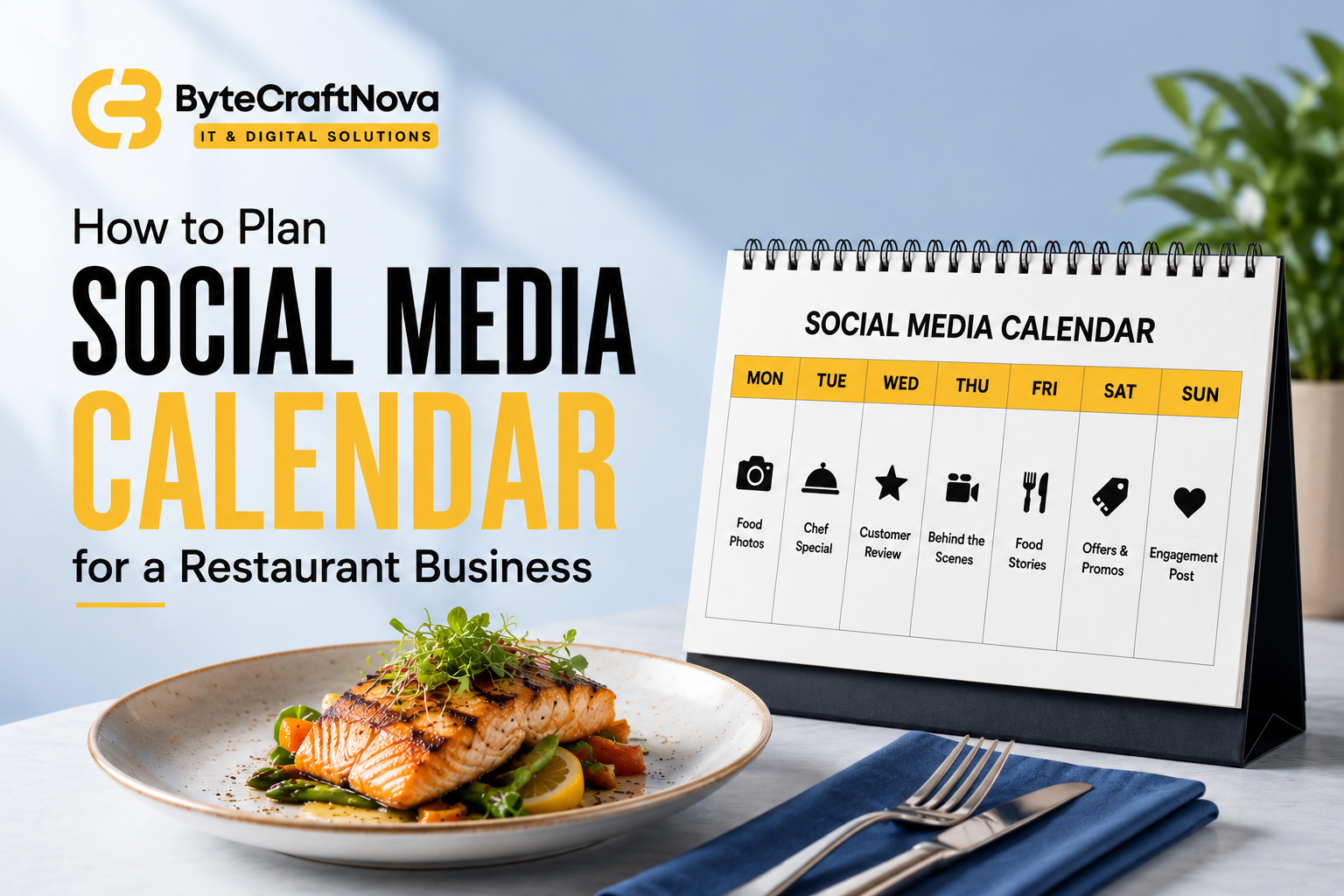
Sample Weekly Content Calendar (Template)
Here’s a simple one-week example you can adapt for your own restaurant:
Monday Signature Dish Post Idea: Close-up reel of your bestseller being plated Platform: Instagram
Tuesday Behind-the-Scenes Post Idea: Chef prepping fresh ingredients for the day Platform: Instagram Story
Wednesday Offers Post Idea: Midweek discount or combo announcement Platform: Facebook + WhatsApp
Thursday Community Post Idea: Local event tie-in or staff spotlight Platform: Instagram
Friday Customer UGC Post Idea: Repost a customer’s tagged photo/review Platform: Instagram Story
Saturday Signature Dish Post Idea: Weekend special reel with trending audio Platform: Instagram Reels
Sunday Behind-the-Scenes Post Idea: Sunday brunch setup or family dining moment Platform: Facebook + Google Business
Repeat this structure weekly, swapping in seasonal dishes, festival themes, and fresh offers as the month progresses.
Step 6: Tools to Plan and Schedule Your Calendar
You don’t need expensive software to get started. Here are commonly used, industry-standard options at different levels:
- Free tools: Google Sheets or Trello for planning; Canva for designing posts and reels covers.
- Scheduling tools: Meta Business Suite (free, built for Instagram + Facebook), Buffer, and Later all popular for batch-scheduling posts in advance.
- Content creation: Canva and CapCut are widely used for quick, professional-looking photos and reels without needing a design team.
Should You DIY or Hire Help?
Many restaurant owners start by managing this themselves, which is completely doable with a simple calendar and a scheduling tool. But as your outlet grows, or if you’re managing multiple locations, it often becomes hard to stay consistent alongside running daily operations.
At that point, some owners bring in a social media management service to handle content creation and posting, while others prefer working with a social media management agency that can also manage ads and strategy end-to-end. If you just need planning guidance and monthly direction without full outsourcing, a social media management consultant can help set up the system and train your in-house team to run it. There’s no single right answer it depends on your time, budget, and how fast you’re growing.
Step 7: Track Performance and Adjust
A calendar without tracking is just a to-do list. Every month, look at a few simple numbers:
- Profile visits and website/reservation link clicks
- “Get Directions” taps on Instagram or Google Business (a strong intent signal)
- Saves on posts people save restaurants they’re planning to visit
- DM and story reply volume questions about menu, hours, or availability
- Actual walk-ins or orders tied to a specific campaign or offer
Track these in a simple spreadsheet alongside your reservation or order volume. Over 3–4 months, patterns will emerge you’ll clearly see which content types actually drive visits, not just likes, and your content calendar for restaurants will get sharper with each cycle.
Common Mistakes Restaurants Make
- Posting only food photos, nothing else no story, no personality, no behind-the-scenes.
- Inconsistent posting strong start, then weeks of silence.
- Ignoring Google Business Profile often the highest-intent platform, yet the most neglected.
- Not repurposing content one good reel can become a story, a Facebook post, and a WhatsApp status.
- Never checking insights posting blindly without knowing what’s actually working.
- Treating every platform the same a 15-second reel doesn’t need the same caption as a Facebook post; adapt the format, not just repost identically.
Frequently Asked Questions
Here are quick answers to the questions restaurant owners ask most often while setting up a social media calendar for a restaurant business.
How often should a restaurant post on social media? Most restaurants see good results posting 3–5 times a week on their core platform, plus daily stories if they’re active on Instagram. Consistency matters more than volume a few well-planned posts usually outperform daily low-effort ones.
Which social media platform is best for restaurants? Instagram is typically the strongest for visual storytelling like food shots and reels. Facebook and Google Business Profile remain valuable for local reach and high-intent searches like “restaurants near me.” Most restaurants don’t need to be everywhere 2–3 core platforms are enough.
How far in advance should I plan my restaurant’s social media calendar? Two to four weeks ahead works well for most restaurants. This gives enough time to prepare visuals and captions while still leaving room for real-time posts around events or a busy night.
Do I need different content for each platform? Yes. You can repurpose the same idea, but adapt the format a 15-second video may work best as an Instagram Reel, while a customer photo might perform better as a Facebook post.
Should I hire a social media management agency or do it myself? It depends on your time and growth stage. Many restaurant owners start by managing their calendar themselves with a simple spreadsheet and a free scheduling tool. As the business grows, some switch to a social media management service for day-to-day execution, while others prefer a social media management consultant who sets up the system and trains the in-house team.
What should I post if I don’t have professional photos? Good lighting, a clean background, and clear framing often work better than expensive equipment. Behind-the-scenes clips, quick phone videos, and customer photos (with permission) can perform just as well as polished shoots.
Conclusion + Quick Action Checklist
Planning a social media calendar for a restaurant business doesn’t need to be complicated. It needs to be consistent, tied to real goals, and flexible enough to leave room for spontaneous, real moments.
Here’s a quick checklist to get started this week:
- Define your top 1–2 social media goals
- Pick 2–3 core platforms to focus on
- List your 5 content pillars
- Mark upcoming festivals and food days on your calendar
- Build a simple one-week template (use the sample above)
- Pick one scheduling tool and batch your first week’s content
- Set a monthly reminder to check performance and adjust
Start small, stay consistent, and let your calendar evolve as you learn what your regulars actually respond to. That’s how a simple planning habit turns into steady, reliable growth for your restaurant.